


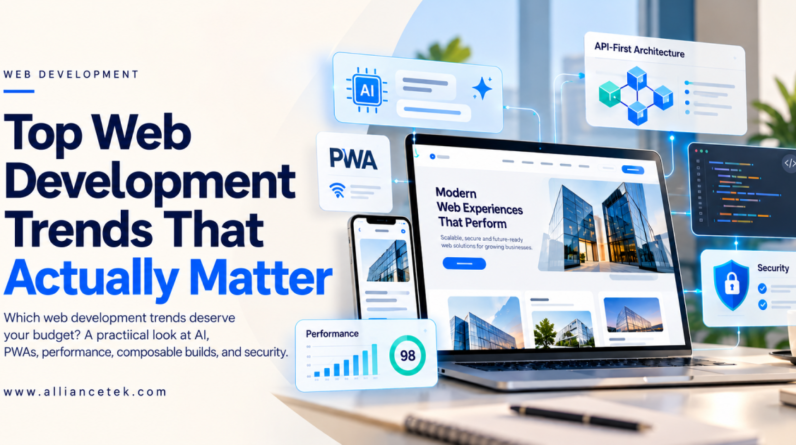
Ask ten business owners what their website is for, and you’ll get ten different answers: leads, sales, bookings, credibility, support. Ask what it’s actually doing today and the answers get a lot quieter. Somewhere between the launch party and the third redesign, plenty of sites stop pulling their weight.
Part of that is simple age, and part of it is that the web keeps moving. Browsers get smarter, search engines and AI tools read pages differently than they used to, and visitors expect everything to load instantly and work on a phone. A site that was perfectly fine three years ago can feel clunky now without anyone touching it. If your team is already stretched, it can help to hire web developers for a specific fix or upgrade instead of waiting for a full rebuild.
Top Web Development Trends
1. AI is in the workflow and in the product
Developers have been using AI assistants for boilerplate, test generation, and code review for a while now. That part is quiet, and it does save time, as long as a human still reads what comes out. The visible part is what your users get: search that understands what they meant, support that resolves a problem instead of pointing to a help article, forms that fill themselves in.
Plenty of teams can bolt a chatbot onto a page. Fewer can build something that holds up with real data and real traffic. If AI features are on your roadmap, talk to a team with hands-on AI/ML development experience before you commit to a vendor or a model. It’s a much cheaper conversation to have early than after the prototype stalls.
2. Agentic interfaces are starting to appear
The next step past the chat box is an AI agent that finishes the task for the user: rebooking a shipment, matching invoices, drafting a quote and sending it for approval. It sounds futuristic until you notice what it depends on, which is mostly boring stuff like clean APIs, clear permissions and good logging.
That’s also why companies with messy back ends will struggle here. The agent is only as capable as the systems it can safely reach. If you want to see what this looks like in practice, our agentic AI development page is a decent starting point.
3. PWAs have quietly grown up
Progressive web apps don’t get much hype anymore, which is usually a sign something works. They load fast, handle offline use, send push notifications and can be installed straight from the browser. You skip the cost of maintaining separate iOS and Android codebases.
For field teams, internal tools and content-heavy products, a PWA is often the sensible first move. It won’t replace every native app (anything leaning hard on device hardware still needs one), but it covers more ground than most people assume. If you’re weighing the two, here’s how we approach progressive web app development.
4. Performance is a requirement, not polish
Core Web Vitals have influenced search rankings for years, and slow pages still cost conversions. What’s changed is when teams talk about speed. It used to be a cleanup job before launch. Now it shows up in the brief, with target numbers for load time and layout stability agreed before the first sprint.
Meta-frameworks like Next.js and Nuxt have made server rendering and smart caching far easier, and an experienced React development team can get you most of the way there. The rest comes down to habits: compress images, trim third-party scripts, and test on a mid-range phone instead of the laptop on your desk. Your customers aren’t browsing on your hardware.
5. Composable architecture and API-first thinking
Single platforms that do everything are losing ground to setups where the CMS, checkout, search and analytics are separate pieces talking through APIs. A headless CMS or a microservices approach lets you swap one part without rebuilding the whole site.
The trade-off is real, though. More moving pieces means more to coordinate, and a small brochure site rarely needs this. It pays off when your product is growing fast, or when you’re stuck on an old system nobody wants to touch. If that sounds familiar, read up on legacy modernization and microservices development before choosing a direction.
6. Security moves to the start of the project
Supply-chain attacks on npm packages, vulnerable framework releases, API keys leaked in public repos. None of it is theoretical anymore. The response is shifting security left: checks run inside the pipeline instead of one big audit the week before launch. Dependency scanning, secrets detection and automated tests on every commit should be standard.
A solid DevOps setup turns this into routine instead of a scramble. Just as important, plan for life after launch. An unpatched site is the easiest target around, so budget for support and maintenance from day one.
7. Design follows real user behavior
Motion and micro-interactions are everywhere, but the good ones have a job: confirming a button worked, guiding the eye to the next step, smoothing a page transition. The rest is decoration, and it slows pages down.
Accessibility is the other shift. It’s now expected, and accessibility rules apply to more businesses than they used to. Modern CSS also does more than it did a few years ago, so you need fewer heavy libraries to get a polished result. A good UI/UX design process starts with how people actually use the product, then decides what deserves animation.
How to pick what to act on
You don’t need all seven. Start with the problem instead of the trend. Is the site slow and losing leads? Look at performance and architecture. Does a field team need offline access? Consider a PWA. Are support tickets piling up? AI-assisted support might earn its keep.
Pick one or two, run them on a small project, measure the result, then decide whether to go bigger. And be a little suspicious of anyone who tells you a trend is mandatory. Most of them are options, and the right one depends on your product and your team.
Conclusion
If you’d like a second opinion on where to start, our team can look at your current stack and suggest a sensible order of work. Reach out through the contact page, or bring in extra capacity for a defined piece of the project by choosing to hire web developers.